
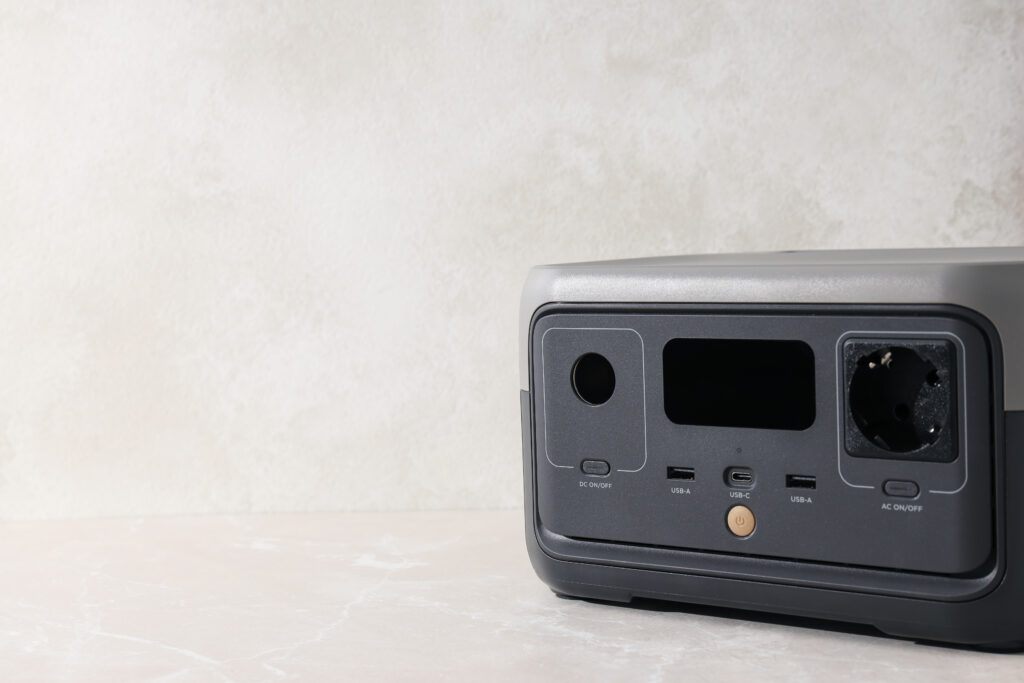

For the buyer treating $500 as the ceiling on a unit that lives at home, the question is blunt: when the grid drops at 2 a.m., will it hold the fridge, the router, the NAS, and whatever else you throw at it — without you doing anything? That question knocked three plausible contenders out of contention before the pick was obvious.
The case for the DELTA 3 Classic is simple: it’s the only unit in this tier where the bench matched — or beat — what the box claimed on the axes that decide this job. Independent testing measured roughly 940 Wh usable at mid-to-high AC loads, about 92% of nameplate, and that’s described across testing as exceptional for this size. The inverter held 1,800W continuously from a full charge to empty without stepping down once. Owners have run refrigerators, TVs, power tools, and an 8,000 BTU window unit off it; Starlink owners report 12+ hours of runtime. The 10ms UPS switchover is real — routers, NAS units, and computers have ridden through real grid drops without rebooting. A 45-minute charge to 80% means a generator top-up during a long outage is a coffee break, not a project. At 13 watts idle, leaving it plugged in around the clock is entirely credible.
Two catches to handle before you plug in a fridge and walk away. The unit ships with a two-hour inactivity timer that will silently cut power to a cycling refrigerator — open the app on day one and set auto-shutoff to ‘never.’ And if the battery drains completely mid-outage, AC pass-through is blocked until the unit has recovered some charge, so it’s not quite seamless from dead. Neither of these changes who should buy it; both change how you set it up.
One reliability note worth knowing: a small cluster of early BMS failures is documented specifically under daily deep-cycling — running it down and back up every day as though it were a primary power source. For the occasional-outage home-backup use this segment describes, that pattern hasn’t been established. Register the warranty on arrival.
Skip it if: you need to start surge-heavy motors on demand and want the flexibility to disable smart-protection features — the Anker SOLIX C1000 Gen 2 gives you a disableable SurgePad, though it trades that flexibility for the DELTA 3‘s sustained output confidence at appliance loads.
On paper this is the faster, lighter unit: independent testing measured a full recharge in 46–47 minutes — beating Anker’s own published figure — and the C1000 Gen 2 comes in at 24.9 lbs against the Classic’s 27.3. Its sub-10ms switchover is bench-confirmed, and it delivered 850–907 Wh usable at a 1,000W AC load in testing. It loses the segment not on specs but on a single behavior that can’t be turned off: SurgePad, Anker’s soft-start protection, drops voltage during motor starts, and at this segment’s loads it showed — an 1,800W table saw failed to start and a microwave tripped within seconds in comparative testing. The Classic lets you configure that behavior. For a CPAP at 30–40 watts, none of that ever comes into play, which is exactly why the C1000 Gen 2 wins Segment 4 instead.
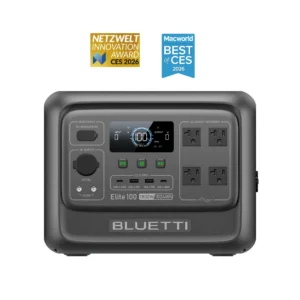
If solar recharge is your primary reason to own one of these, the Elite 100 V2 deserves a hard look: it accepts 1,000W of solar input, which refills it in about 1.2 hours under ideal conditions — no other unit on this page comes close. It’s also the best per-watt-hour value of any 1 kWh unit here. The case against it at this segment’s loads comes from two owner-documented failures: it could not start a 5,000 BTU window-AC compressor that an EcoFlow DELTA 3 ran in a direct comparison, and its ECO mode — which ships enabled — cut AC output to a sump pump mid-outage and contributed to a documented basement flood. Both are fixable in the app, but a unit that requires app intervention to behave safely as unattended backup is a riskier choice for this job. A recurring first-year failure cluster (warranty honored, with friction) is an additional flag. Buy it if solar-centric off-grid charging is the priority; don’t buy it as a set-and-forget home backup without reading the app first.
Why the Jackery Explorer 1000 v2 doesn’t place: It carries the highest nameplate capacity in this group at 1,070 Wh and is the lightest at 23.8 lbs, but the real-world AC figures tell a different story. Jackery support acknowledges a 15% AC conversion loss plus a 10W idle, putting usable AC energy near 900 Wh — and independent multi-unit rundowns averaged lower still. More critically, surge testing measured shutoff around 2,200W, well below the 3,000W surge spec, with owners tripping it at 1,400–1,550W. There is no configurable low-battery cutoff, and a documented pattern of silently cutting AC output while the indicators stay lit has left owners with spoiled fridges. The review is explicit that it’s designed for attended, mobile use — where its weight and sub-90-minute recharge genuinely shine. That’s a different segment.
The carry-to-camp buyer has a real constraint that home-backup buyers don’t: they actually pick this thing up, walk it across a parking lot or down a trail, and lift it into a truck bed. At this load profile — a 12V cooler on DC, lights, phones, a fan — the gap in usable energy between the candidates nearly disappears, which means the decision comes down to weight versus capacity-per-dollar, with Review-confirmed real-trip runtime as the tiebreaker.
One thing to anchor before comparing numbers: usable capacity figures for this segment are stated at this regime — a cooler on the DC port bypasses the inverter entirely, and at the aggregate draws a camp load produces, inverter idle taxes a much smaller share of available energy than it does at the low continuous draws that define a router-UPS. A figure measured at gentle AC loads belongs to that AC regime and can’t be directly compared here without adjusting for conditions.
Sixteen pounds. That’s the whole argument for the 600 Plus, and it’s an argument that only gets stronger the farther the walk is from the car. Owner trips at exactly this load confirm what the nameplate suggests: a three-day run on phones, fans, and air pumps ended with 25% remaining; a two-night trip ended at 80%. The wall recharge takes about 1.5 hours with no external power brick — plug it straight in. LFP chemistry means sitting fully charged between trips doesn’t quietly hurt the battery. The 800W ceiling that would matter for a kettle or an electric skillet simply doesn’t appear in this segment’s load list.
Two things to handle before the trip. Standby drain is real: in one measured test, outputs left enabled with no load consumed 23% of the battery over 12 hours. Switch the outputs off when nothing’s plugged in. The 600 Plus also ships with a new DC8020 input connector that rejects older Jackery solar and car cables — if you have those from a previous unit, you’ll need an adapter that isn’t in the box. Buy direct from Jackery rather than through Amazon; units are classified as hazmat and are non-returnable through the marketplace, and a minority early-failure cluster makes a clean warranty path matter.
Skip it if: you can absorb the extra 6 lbs to the site — the Bluetti AC70 at 22.5 lbs delivers more usable energy at this regime for $80 less, plus a 1,000W solar ceiling that refills it in roughly two hours on a good day.
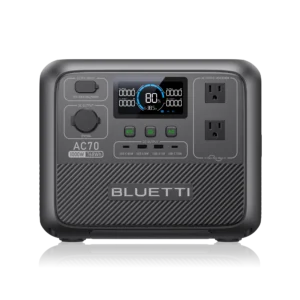
At this segment’s loads — cooler on DC, aggregate draws above 200W — the AC70 delivers roughly 650–700 Wh of usable energy, more than the 600 Plus, from a unit that costs $80 less. Its 1,000W solar input refills it in under 2.5 hours with two 200W panels, and the review confirms 80% turbo recharge in 43–47 minutes. Long-term owners have run it continuously in RV use across five years of service. It loses the segment on one number: 22.5 lbs, about 40% heavier than the 600 Plus. Whether that matters depends entirely on how far you’re carrying it. Its Power Lifting ‘2,000W’ mode is a voltage-reduction assist for resistive loads only — the review measured voltage sag to 62–96V, making it unsafe for motors — but nothing in a camp load profile needs it.
A couple of things to know before using it in the field: standard AC charging draws 400–500W minimum, which will overload a small vehicle inverter — use the 12V port for field charging instead. A first-year DC-port failure cluster has been acknowledged by Bluetti and the warranty has been responsive, but test the DC outlet on arrival and register the unit.
The RIVER 2 Pro is the cheapest 768 Wh unit on this page, weighs 18.2 lbs, offers four AC outlets, and a measured 70-minute wall recharge. Independent testing confirmed roughly 640 Wh usable at full 800W AC and about 670 Wh on DC — solid numbers for the price. The review’s verdict for active campers who recharge between trips is genuinely positive. The one non-negotiable to understand: with the inverter left on, measured self-discharge ran roughly 40% of the battery in 24 hours, and EcoFlow’s own guidance is to power it fully off between uses. Weekend campers who come home and plug it in are exactly who it’s built for. Anyone expecting to store it charged for emergencies will find it empty when they need it. Fan behavior under AC load is erratic and peaks around 61–62dB; the 30ms EPS is the slowest switchover on this page.
A router, a modem, a NAS, a desktop — loads so light that a 288 Wh box gives you most of a workday. The spec sheet in this class is nearly useless as a tiebreaker: two units arrive at the same capacity, the same 600W rating, and the same claimed sub-10ms switchover at a $70 price gap. What separates them is what happens at 20–40 watts continuous, which is the actual load. One of them has a documented problem at exactly that draw. The other was built for it.
The RIVER 3 Plus’s review names wall-powered network UPS as the precise job it does best — and the real-world record backs that verdict. Its sub-10ms switchover has kept desktops, NAS units, and full network stacks running through live outages without a reboot. Owners running a 20–40W router and modem stack report around 10 hours of runtime. At continuous low loads it runs near-silently — appropriate for an office or bedroom. A full recharge takes about an hour, so it restores its reserve quickly even after a short outage. Treat 600W as the real output ceiling; X-Boost is a voltage-reduction trick for resistive-only overloads, not a true wattage extension.
There are two setup steps that matter here. First, go into the settings and configure the output ports to restore their last state after a depletion event — the default behavior can leave your network offline after a deep discharge. Second, this unit has a confirmed and unfixed firmware bug that shuts off AC output when solar charging pushes the battery to 100%. This segment is wall-powered, so the bug never fires in this application. Don’t redeploy it as unattended solar backup without knowing that. A recurring chemical-smell report — strong enough that some owners returned units — is worth being aware of; if you notice it on arrival, act on it. And with no documented surge filtering built in, put a surge protector between the wall outlet and the unit.
Skip it if: the $70 premium over the runner-up isn’t worth it and your load stays above about 50 watts continuously — at desk-PC draws the BLUETTI Elite 30 V2‘s idle-draw penalty shrinks enough that the trade is fair, and its dual high-wattage USB-C ports are genuinely useful.
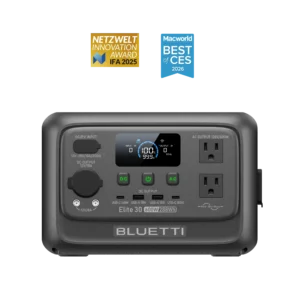
The Elite 30 V2 recharges faster than anything else in this size class — 80% in 40–45 minutes, full in 51–70 minutes measured — and its switchover has been oscilloscope-confirmed at sub-10ms. Dual 140W + 100W USB-C is a meaningful extra at this size. It loses the segment on the problem that defines this segment’s job. With ECO mode off, the unit’s idle draw measured 11–19W at AC — one test drained it from 100% to 19% in 12 hours under no load at all. With ECO mode on, the unit can shut itself off under router-class draws. That trade is exactly what this segment is trying to avoid, and the RIVER 3 Plus doesn’t make you choose between them. The Elite 30 V2 is an excellent pick where the load runs a bit higher — a desk PC rather than a router — or where its strong DC path makes sense (it’s the runner-up in Segment 4 for that reason). One note on operating range: it will not charge below 32°F, which rules out unheated shed or garage deployments in cold climates. Buy new from a clearly stated channel; warranty support has been channel-sensitive.
Medical criticality changes the rules. Pure sine output and enough capacity for a full night aren’t preferences here — they’re the floor. Everything above that floor is decided by three things the review confirmed together: multi-night runtime at the actual CPAP draw, bedside noise behavior, and a switchover that the machine doesn’t notice. Several units clear the floor; the one that clears all three axes at once wins.
Up to four nights of CPAP per charge, run over DC or USB-C direct — the longest confirmed multi-night figure on this page. Under 20dB at draws below 200W, which is effectively inaudible beside a pillow. A sub-10ms UPS confirmed on the bench, meaning the CPAP never sees the grid drop. The SurgePad behavior that made it the runner-up in the home-backup segment — where it stumbled on motor starts — is completely irrelevant at 30–40 watts; the protection mode never engages. A 46–47-minute full recharge means even a multi-hour outage costs less than an hour of grid time to restore several nights of margin.
Two things to do before you depend on it. Complete the initial Bluetooth app pairing at home — owners who skipped this found their outlets wouldn’t turn on when they arrived off-grid. For a medical device, do this the day the unit arrives, then test a full night before you need it. The review also documents a small number of units arriving with capacity well below rated; test yours on delivery. Customer-service experiences have been mixed. Reliability is good overall, but given that this is medical equipment, keep a backup plan ready for multi-day events.
Skip it if: budget matters more than maximum margin — the EcoFlow DELTA 3 Classic at $449 has confirmed 30+ hours of CPAP runtime and the same 10ms switchover, at a $50 savings.
Owners have confirmed 30+ hours running a ~30W CPAP — three to four nights — with the same 10ms switchover that defines it in the home-backup segment. Under light load it’s described as notably quiet, though its low-load noise hasn’t been measured in the same way the C1000‘s sub-20dB figure was, which is a real gap at a weighted axis when the unit is an arm’s length from your head. It also lacks a 12V car port, removing the most efficient DC path for many CPAP adapter kits. For most CPAP users it gives three to four nights of confirmed margin and a clean switchover — the C1000 Gen 2 is the pick on the noise and runtime ceiling combination, not because the Classic is a bad choice here.
The budget path to a night with the full configuration running: the review confirmed 7.5–8.5 hours with both the humidifier and heated tube active, waking with over 30% remaining. That’s one night per charge rather than three or four — but it’s a full night in the most demanding configuration, which many smaller units can’t manage at all. Pure sine output is bench-confirmed clean for medical devices. The same first-year DC-port failure cluster noted in the camping segment applies here — register it, test it before you depend on it, and have a backup plan. If the CPAP setup is simple and the goal is one well-supported night at the lowest price, this is the path.
Why not the Jackery Explorer 600 Plus here? Owner testing confirmed two CPAP nights on it, which clears the floor. But the review documents a specific event: the fan ramped audibly under thermal load and woke a light-sleeping CPAP owner about 5.5 hours into the night. At a campsite that’s trivial. Next to a pillow, for a medical device user, that’s a failure at a weighted axis. The documented fix was earplugs, which is not the answer. It stays the Segment 2 pick.
When the unit has to board the plane with you, the FAA’s carry-on band — 100 to 160 Wh, with airline approval required — makes the decision before anything else does. Of the 21 units that cleared the price gate for this guide, exactly one sits inside that band. The review’s job was to confirm it’s worth the carry, and it confirmed that without reservation.
At 128 Wh and just under 4 lbs, it’s the only flight-legal power station on this page — and the review confirms that the useful parts travel well. The Turbo wall recharge gets it back in about 70 minutes (set Turbo in the app on arrival; the default mode is significantly slower). The 10ms UPS is bench-confirmed, so a hotel router or a small rack at the destination stays alive through a brief outage. A dry-mode CPAP at around 15 watts gets roughly 8 hours; a 14-watt modem gets about 5. A built-in LED is a genuine road tool. Plan device math around 100 Wh rather than 128 — independent testing measured roughly 100 Wh usable at a sustained 170W AC draw, about 78% of nameplate; efficiency runs higher in the high-80s percent at 60–100W moderate loads.
Four things to configure or avoid before you rely on it. Enable System Switch Recovery and disable ECO mode on day one if it will guard a low-draw load — the defaults are wrong for that use case. The 100W USB-C port does not reliably sustain rated output with high-draw devices; a Starlink Mini rebooted cyclically at the measured ~96W output, while the same rig ran cleanly on other Bluetti units — don’t buy this as a Starlink or high-draw-laptop USB-C source. The 200W AC ceiling is a hard wall; a 250W TV startup has tripped it in testing. For silent bedside use at the destination, route through USB-C or DC rather than AC — the fan can spin under small AC loads.
There is no runner-up in this segment. Nothing else under $500 is carry-on legal; naming a ground-only unit here would answer a different question.
Skip it if: you’re not actually flying — Segment 3’s picks give you triple the capacity for similar or less money, with a better-matched inverter ceiling for desk and network loads.