
Two 140-watt USB-C ports is what settles this segment — and the Anker SOLIX C300 is the only unit in the band that has them.
A device-charging hub is defined by how fast it can refill gear simultaneously, and the C300 does something no other unit here does: both full-size USB-C ports run at 140 watts, so it charges two laptops at full speed at once, or a laptop and a multi-slot camera-battery hub, without either throttling the other. The third port adds 15 W for a phone or watch on top of that. Independent testing confirms a scope-verified pure sine wave (120.2 V, 60.1 Hz), which matters for sensitive electronics, and a noise floor of 25 dB — low enough to sit open on a desk or in a hotel room without anyone noticing. The built-in wall charger recovers to 80% in around 50 minutes from any cord, no external brick required.
Over USB-C and 12V DC — which bypass the inverter entirely — independent testing puts delivered energy at roughly 270–280 Wh, near the top of the band.
Two things to know before buying. The USB-C output ports shut off automatically after about two hours at very low current, which rules out continuous trickle loads but is invisible during active device charging. And the 300W AC ceiling is a real wall — this is not the unit for anything that draws more, and it doesn’t tolerate heating elements at all. Neither matters if you’re charging phones, laptops, cameras, and drones.
The $300 MSRP is the highest in the band, though it frequently sells around $249.
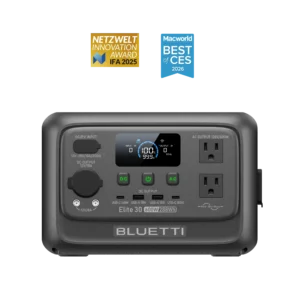
Skip it if: the $100 premium over the runner-up genuinely strains your budget — the Bluetti Elite 30 V2 covers dual high-wattage USB-C charging for less, with a 600W inverter as a bonus.
At $199, the Elite 30 V2 runs dual high-wattage USB-C simultaneously — one port at 100 W and one at 140 W, 240 W combined — and backs it with a 600 W AC inverter for the occasional larger device. It loses to the C300 on raw USB-C throughput (its ports are asymmetric where the C300 runs both at 140 W) and on noise (up to 44 dB under load versus the C300’s 25 dB). If the second full-speed port and the quieter operation matter less to you than $100, the Elite 30 V2 is the pick.
The EcoFlow RIVER 3 and Jackery Explorer 300 v2 each carry a single 100 W USB-C port — fine for one device at a time, but not a hub. The Bluetti AC2P is in the same boat.
Three units in this class advertise a 10 ms switchover, which sounds like the whole decision — but it isn’t. For a router, modem, or NAS that idles at 20–40 watts, the switchover speed qualifies a unit; what actually separates them is how many watts the inverter burns standing by. On 245 watt-hours, that number decides how many days the battery can sustain the load. And only one unit here makes idle draw its engineering priority.
At a ~70-watt networking stack, the RIVER 3’s ~5-watt idle draw — the lowest in the class, achieved through GaN electronics — translates to roughly 3-plus hours of holdover. A unit sitting at 12 watts idle on the same battery would burn through its own capacity considerably faster doing nothing. This is the number that matters most for something plugged in around the clock, and it’s the number the EcoFlow’s review names as the reason the network-and-home-server UPS role is exactly where this unit ‘shines.’
Independent testing measured 213 Wh of usable energy at the AC outlets — 86% of nameplate, honest for the class. The 20 ms switchover held without a reboot across modems, routers, switches, and a server in testing. The app is the best in the class: live draw monitoring, charge limits, and Home Assistant integration for scripted automation. Library-quiet at 30 dB. Cheapest in the band at $199.
Before you leave it unattended: the RIVER 3 does not filter power-line spikes. A spiky appliance on the same circuit — a refrigerator compressor, a laser printer — can trip it and drop the load. The fix is simple: plug the RIVER 3 into a surge-protected outlet, not directly into the wall. Owner reports confirm this resolves the issue.
Skip it if: you’re protecting a desktop PC that can’t afford a reboot, or a NAS under heavy load — the runner-up’s 10 ms switchover and 600 W headroom are the right spec for that job.
The RIVER 3 Plus is the step-up for anything that needs a sub-10 ms transfer or more than 300 W of sustained headroom — a desktop PC, a larger NAS, a fuller home-office stack. Its review’s primary endorsement is exactly the home-network and office UPS role. It also expands to 858 Wh with an add-on battery, which is the right answer if you want more than an hour or two of holdover. At ~245 Wh usable on AC, a 150-watt NAS-plus-network stack runs roughly 1.5 hours before the expansion battery becomes the conversation.
Two catches worth testing before you commit it to a permanent spot: a firmware update has been documented to drop AC output mid-update (move critical gear to wall power during updates), and owners consistently report a chemical or plastic smell during charging. Test both in your return window. One more hard limit: buy it wall-powered. The solar-fed backup mode is broken — AC cuts when solar charges the battery to 100%, a firmware issue that has not been resolved — so solar as a primary input for this use case is off the table.
The Bluetti Elite 30 V2 is vetoed here, not just demoted. Its eco mode — the setting that controls idle drain — shuts off AC outlets under low draw, which can cut power to the very router it was bought to protect. Disable eco mode and the idle climbs to 11–19 watts, the worst in the class; one test drained from 100% to 19% overnight under no load. The two things that matter most in this segment are exactly where it fails. The Anker SOLIX C300 would be a credible AC-only router UPS — 10 ms switchover, honest idle for AC-only gear — but its USB-C output ports time out after two hours at low current, which rules it out for any USB-fed device in the stack, and its ~12-watt idle is meaningfully higher than the RIVER 3’s.
A CPAP at pressure draws 30–50 watts — a low load where the inverter’s standing waste is not a rounding error. On a 245-watt-hour battery, a unit idling at 12 watts is surrendering roughly one watt in four to the act of staying on; one idling at 5 watts surrenders roughly one in nine. That gap, run across a full night, is the difference between a comfortable margin and a close call. Lowest idle wins this segment, and the RIVER 3 has the lowest idle in the class.
Run the CPAP through the DC output — bypassing the inverter entirely — and the RIVER 3 delivers two-plus dry nights on an AirSense 11 with a phone and watch charging alongside (humidifier off). That figure comes from review-documented real-device testing, not a spec-sheet calculation. On AC at roughly 40 watts, the ~5-watt idle still leaves more usable energy per cycle than any other unit here. Pure-sine output, a 20 ms transfer that a CPAP handles without complaint (these aren’t reboot-sensitive like a PC), and 30 dB at the bedside round out the case. At $199 it’s also the cheapest unit in the running.
Two habits that protect your night. First, plug the CPAP into the DC port if your machine accepts it — you skip the inverter idle entirely and the multi-night runtime opens up. Second, the humidifier and heated tube together roughly triple the draw; turn them off when you need the margin. EcoFlow’s customer support is the weaker of the two units in this segment — for a device in your breathing zone every night, keep an independent fallback regardless of which unit you own.
A note on the runtime figures across the class: the RIVER 3 and C300 numbers come from reviewed real-device testing; the Jackery Explorer 300 v2‘s ‘all-night’ claim is manufacturer-calculated. For a medical device, verify your machine’s actual draw and test your specific setup before relying on any figure here.
Skip it if: the cleanest possible handoff and absolute bedside silence matter more to you than maximum overnight runtime — the Anker SOLIX C300 transfers in 10 ms, runs at 25 dB, and carries a better support reputation.
The C300 posts the fastest transfer in the class (10 ms, scope-verified), the quietest operation (25 dB), and a scope-confirmed pure sine wave — and it comes with Anker’s support reputation behind it. If you value the faster handoff and the quieter room over the RIVER 3’s idle efficiency, the C300 is the choice. The tradeoff is real: at ~12 watts idle versus ~5 watts, it delivers meaningfully less overnight energy, and with a humidifier and heated tube running (~54 watts combined) neither unit covers a full night — a reminder that the step up to the C1000 is the right answer if humidity is non-negotiable.
The EcoFlow RIVER 3 Plus is not a contender here: owners report a recurring chemical or plastic smell during charging, which disqualifies a unit in your breathing zone. The Bluetti Elite 30 V2‘s idle draw of 11–19 watts with eco mode off leaves only around six hours of AC runtime with a humidifier — not reliably enough for a full night — and it won’t charge below freezing, a real concern for a medical device in a cold environment. The Bluetti AC2P has a documented no-power failure pattern (E113/E116 errors after idle storage or a grid event) that disqualifies it for any device you must be able to trust on demand.
At $199, the Bluetti Elite 30 V2 is the cheapest in-band unit by $/Wh — and unlike most budget picks, the savings don’t come with stripped specs.
The Elite 30 V2 is the lowest $/Wh unit in the band at $0.691 — and it pairs that price with the highest rated output in the class (600 W), dual high-wattage USB-C, and 3,000 LiFePO4 cycles. For attended, occasional use — camping, device charging, short outages — none of its real weaknesses matter: the elevated idle drain is irrelevant when you switch it off between uses, eco mode is your friend rather than your enemy, and the below-freezing charge limitation doesn’t come up on a summer weekend.
The EcoFlow RIVER 3 also sells for $199, but it gives up 43 Wh of capacity, cuts rated output to 300 W, and carries only one USB-C port — the Elite 30 V2 is simply the better unit per dollar for general use.
Three limits to keep in mind: turn the outputs off when the unit is sitting idle (the elevated drain is real), eco mode can shut off very small loads so check that setting for your specific device, and don’t leave it in a cold car expecting to top it up — it won’t charge below freezing.
Skip it if: reliability is more important than price and you want the absolute cheapest option regardless — the Bluetti AC2P is $70 less and the lightest unit near the class, but it carries a documented failure pattern that makes it a poor choice for anything you must be able to count on.
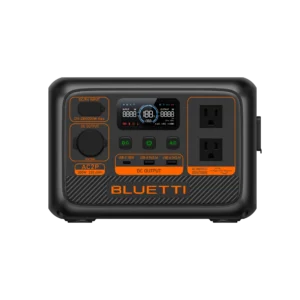
At $129 and $0.56/Wh, the AC2P is the cheapest unit anywhere near this class and the lightest practical option at 7.9 lbs. For a buyer who primarily charges devices over USB-C and DC, it covers a weekend of phone and camera charging and weighs less than anything else in the conversation. Its review calls it ‘one of the best ultra-portable device chargers you can buy’ at the price.
The catch that keeps it the runner-up rather than the pick: a documented no-power failure pattern — E113 and E116 errors that appear after idle storage or a grid event, requiring troubleshooting to restore function. For a device charger you buy from a retailer with an easy return path and use actively, that’s a manageable risk. For any kind of emergency backup or anything you must trust on demand, it isn’t. It also sits about 10% below the band at 230 Wh, so you’re buying slightly less battery than the name implies. Buy it knowing what it is: the lightest, cheapest device charger near the class, not a unit to build a backup plan around.